Private by design — your event photos stay on your device.

Replace the wrong design without changing the guest photos.

Upload the finished event photos and the correct JPG or PNG template. Mark each rectangular guest-photo area once. Template Switcher keeps everything inside those areas, replaces everything outside them, and applies the same fix to the whole event.

Finished photo + marked photo areas + correct template = corrected photo

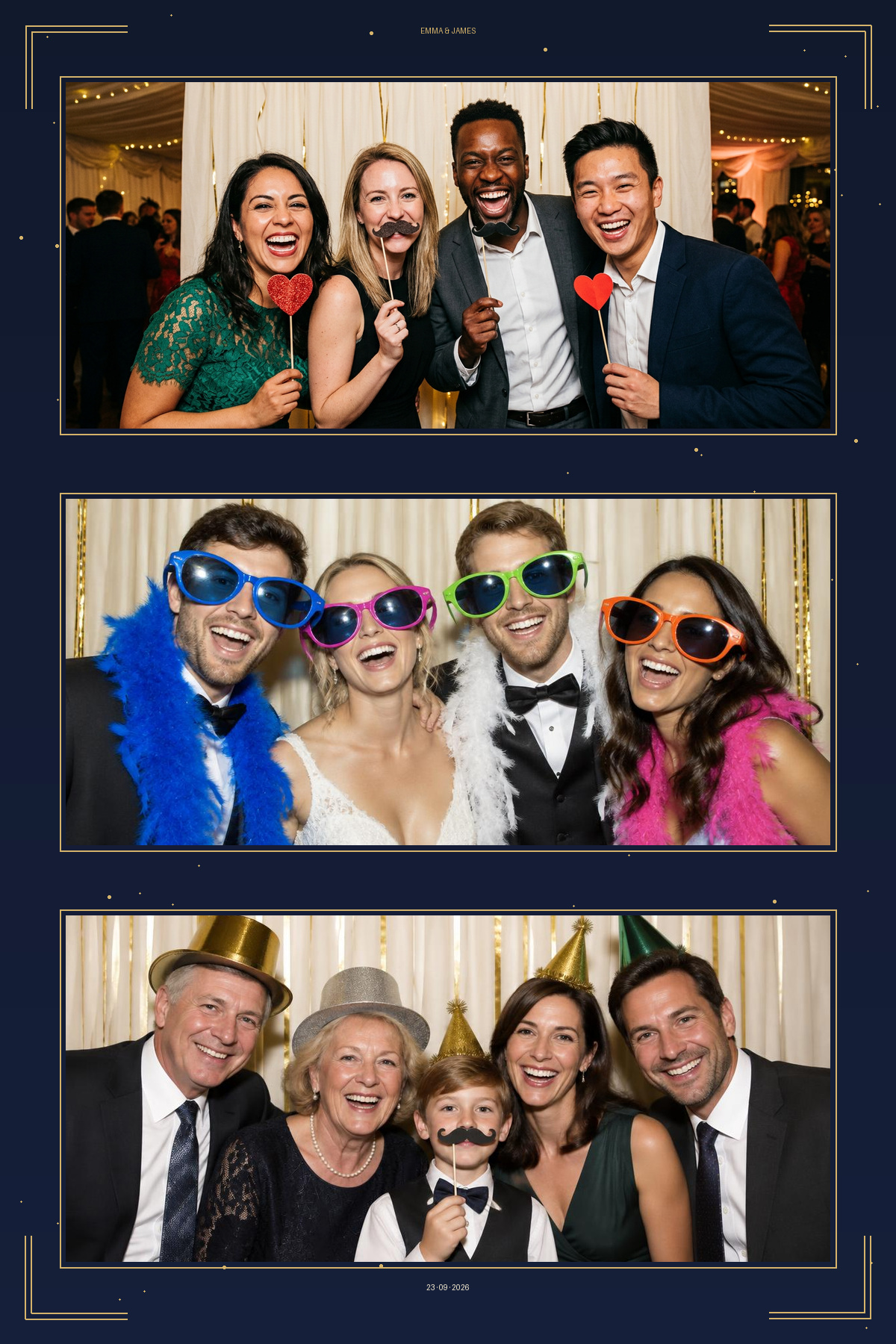
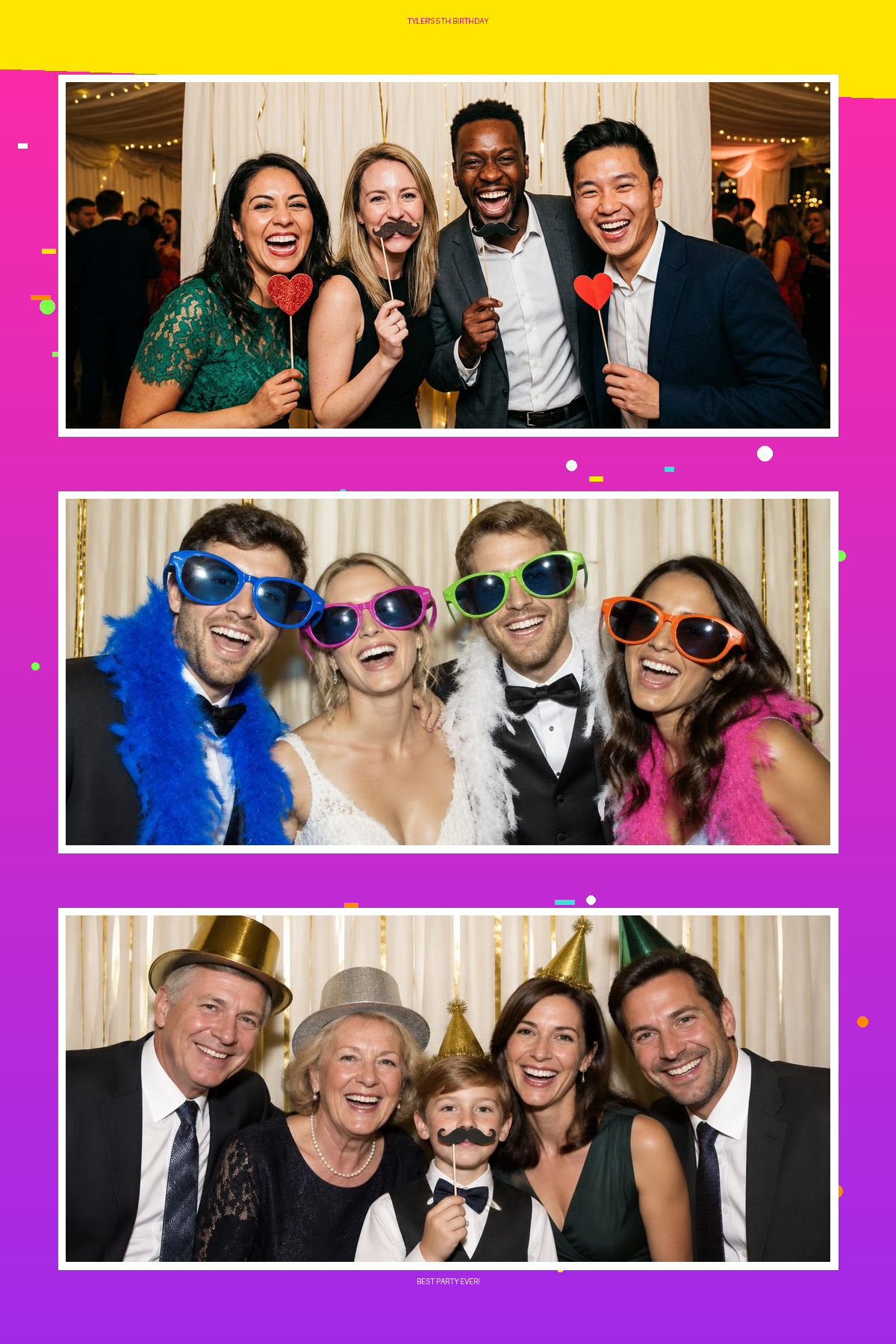
Example photo booth print with the wrong template and after switching to the correct one repaired
Example photo booth print with the wrong template and after switching to the correct one original
↔
BeforeAfter
Drag to compare: the pixels inside all three guest-photo areas stay the same while the birthday design outside them becomes the correct wedding template.

How it works

  1. 1. Upload

    Upload the finished photos containing the incorrect design.

  2. 2. Replace

    Add the correct JPG or PNG template.

  3. 3. Mark

    Draw a box around every guest photo so Template Switcher keeps them.

  4. 4. Repair

    Check one photo, then repair the entire event.

No transparent template required

Upload the normal JPG or PNG template you wanted to use. Template Switcher keeps the guest photos exactly where they are and replaces everything around them.

No AI. No photo reconstruction.

Your existing photo pixels are preserved — never resized, moved, sharpened, recoloured or regenerated.

  • Batches of 300+ photos
  • Original filenames kept
  • Save layouts for next time
  • Photos stay on your machine

Repair your event now

It takes a couple of minutes and your photographs stay exactly as your booth captured them.

Switch My Template